
Patient forms, done before they walk in.
Give patients a smartphone-friendly intake form they can fill progressively — at home, on the go, on their schedule. Your office gets a completed, printable PDF the moment they submit. No printing, no clipboards, no re-keying.
No app to download · Live in days, not months
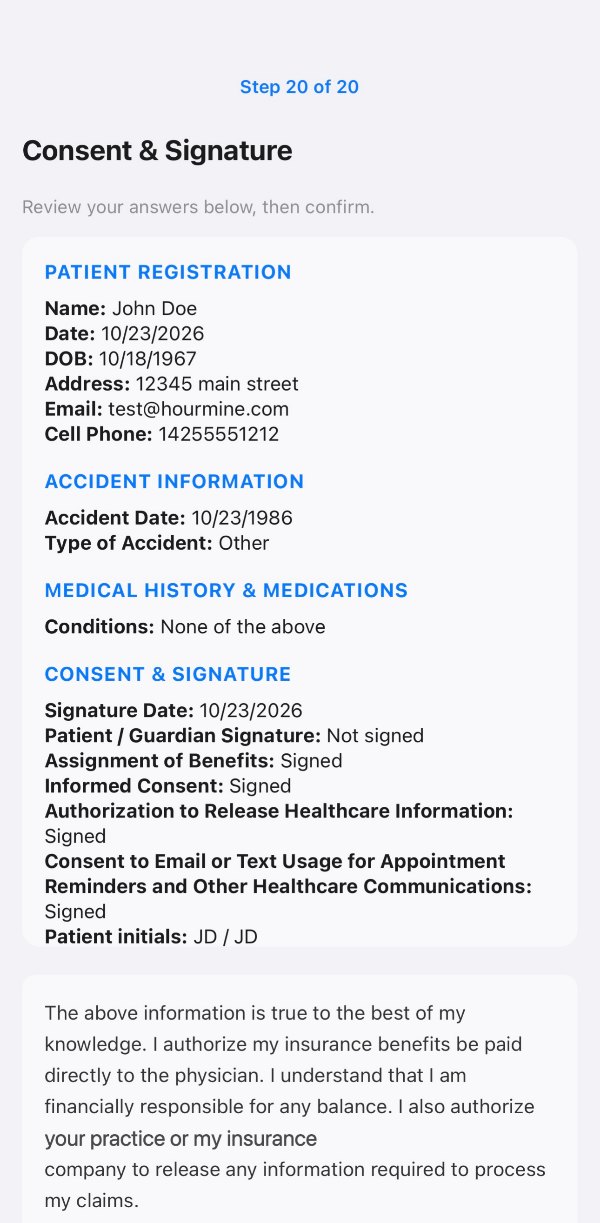
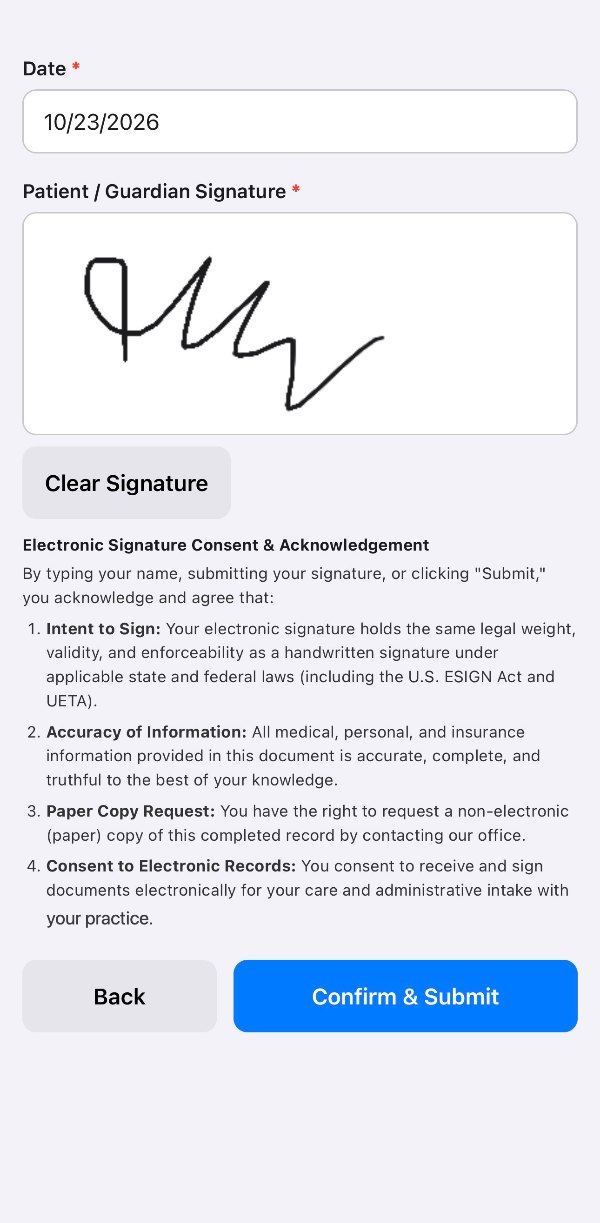
Paper forms were never built for busy patients.
The paper-PDF workflow creates friction for patients and extra work for staff. Digital intake removes both problems at once.
The paper PDF way
- Office emails a PDF — patient must print it, few actually do.
- Patient fills a clipboard in the waiting room, eating appointment time.
- Handwriting is often illegible; staff struggle to read and enter data.
- Staff manually key every field — slow and error-prone.
- Late or incomplete forms push back every appointment that day.
Digital intake with HourMine
- A link in any email or reminder text opens a mobile form instantly.
- Patients fill it at their own pace; progress saves automatically.
- Required fields and clear labels eliminate missing data.
- Your office is notified the moment a form is submitted.
- One click generates a clean, filled PDF for the chart.
Everyone wins with digital intake.
Forms patients complete
A short, clear mobile form with auto-save beats a multi-page PDF every time. Patients finish on their couch, not a waiting-room chair.
Instant office notification
The moment a patient submits, your office is alerted. Check-in becomes a confirmation, not a scramble.
One-click filled PDF
Every submission becomes a perfectly formatted, print-ready PDF in one click. No more retyping clipboards. No more squinting at handwriting.
In any message you already send.
No new software for patients to learn — your intake form is just a URL. Drop it in an appointment confirmation, a reminder text or a welcome message, and patients open a polished mobile form in their browser. Every answer auto-saves, so they can close the browser and pick up exactly where they left off, from any device.
- Works in email, SMS or any messaging channel
- Branded with your practice name so patients trust it
- Resume from any device — no “session expired” screens

We convert your existing paper forms.
You don't rebuild anything. Send us your current paper intake PDFs and HourMine converts them into mobile-ready digital forms. Required fields, conditional logic and signature capture are added automatically, with your branding applied. You're live in days, not months.
- Automatic PDF-to-mobile-form conversion
- Required fields enforced and e-signature blocks added
- Review and approve before you go live
HIPAA compliance is part of the foundation.
Patient data is encrypted in transit and at rest, access is role-based, and every submission is logged with a complete audit trail. You get the productivity of digital intake without the compliance risk.
Questions we get asked most.
Is patient data secure and HIPAA compliant?
Do patients need to download an app?
What if a patient doesn't finish the form?
How do forms get to patients?
Do I have to rebuild existing forms from scratch?
Can I get a completed PDF to keep and print?
Are electronic signatures legally captured?
Is this only for new-patient intake?
Forms finished before the visit.
Turn your paper intake into mobile forms patients actually complete.